Which job trackers save a listing from the page?
FluxResume Chrome save/clip captures title, employer, and URL from the listing you already opened. Smart Auto Fill stays off until you opt in.

Use FluxResume Chrome save/clip on the listing you already opened. Title, employer, and URL land on Pipeline at Bookmarked, no copy-paste. Smart Auto Fill is a separate opt-in and stays off until you turn it on. A spreadsheet paste is not a tracker, and FluxResume will not submit the form.
- Chrome save/clip is the capture. It is not Smart Auto Fill. Autofill stays off unless you enable it (US only).
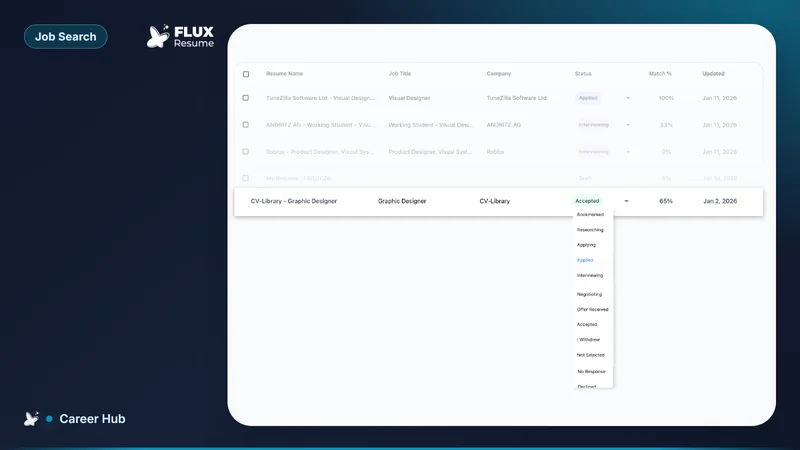
- Bookmark from Job Search when the posting is already in the list. Add Job is the same capture when you only have the URL.
- The card lands on Pipeline at Bookmarked. You still set Applied after you submit.
- Huntr leftover is a long-standing tracker UI and Pro reporting. Huntr Free still caps tracking at 100 jobs (huntr.co/pricing, August 2026).
- The three-path loop: how you save a job from any board.
- Product: https://fluxresume.io/job-tracker/. Pricing: https://fluxresume.io/pricing/.
Save the page. Do not retype it.
Open the posting. Clip it. Close the tab.
FluxResume Chrome save/clip reads the page you are on: title, employer, description, URL. You do not copy fields into a form. If the extension is not running, paste the URL into Add Job. That is still a card, not a bookmarks folder.
Smart Auto Fill is a different button. It fills employer fields from your profile after a board hands you an application form. It stays off by default. You review, then you click submit. Autofill is not the save.
Huntr leftover is Pro reporting if you already live in that older board. Teal leftover is Teal+ brand recognition. Neither leftover is "the clipper product." FluxResume searches 40+ boards in-app and clips the tab you already opened on the same $0 plan.
Compare leftover boards: https://fluxresume.io/vs/huntr/ and https://fluxresume.io/vs/teal/. After you send the file, mark the stage: what you do right after you apply.
Common questions
Is Chrome save the same as autofill?
No. Save/clip creates the Pipeline card. Smart Auto Fill types fields on an employer form. Autofill is US-only and stays off until you opt in.
Do you need to copy the title and company by hand?
No. Clip the listing, or Bookmark from Job Search, or Add Job with the URL.
Does save mean FluxResume applied?
No. Apply Now opens the employer tab. You click submit, then move the card to Applied.
Do you need Huntr or Teal to clip LinkedIn?
No. FluxResume Chrome save/clip takes the tab you already opened. Huntr leftover is Pro reporting.