Pipeline
Pipeline (page title: Job Tracker) is your application kanban. Jobs move across stages from Bookmarked through Offer. Open a card for description, match keywords, notes, and linked resumes.
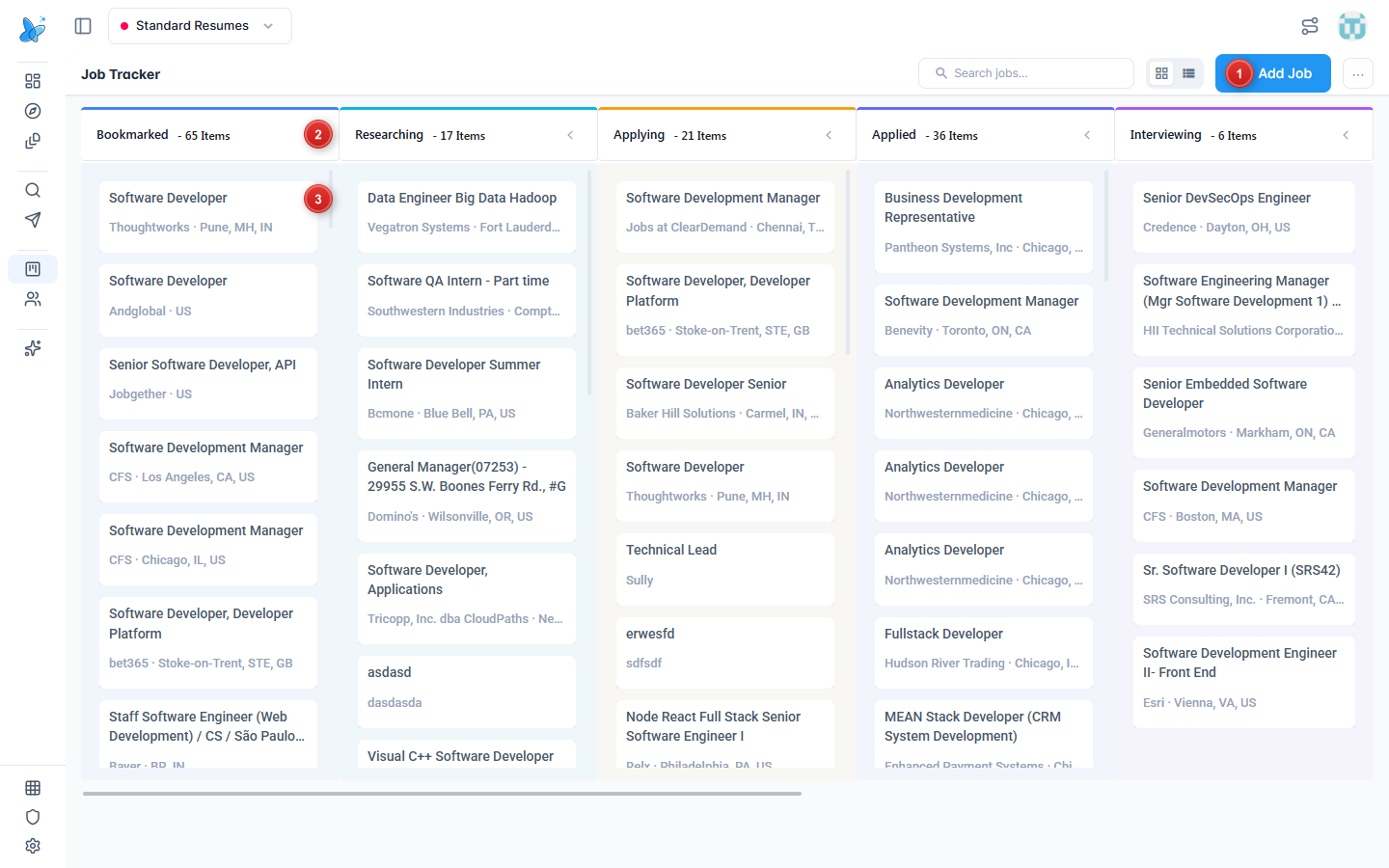
- Add Job - add a posting manually. Search and Kanban/list toggles sit to the left of this button.
- Kanban columns - Bookmarked, Researching, Applying, Applied, Interviewing (and more stages inside a job).
- Job cards - title, company, and location. Drag between columns to change status, or click a card for details.
How to use
- Open Pipeline from the sidebar (Track group).
- Prefer Kanban view (grid icon). Use list view when you want a sortable table.
- Drag a card to another column to update status, or click the card to open details and use the status bar.
- Click Add Job for roles you found outside Job Search.
- Use Search jobs... to find a company or title in a large board.
Jobs you bookmark or tailor from Job Search land here automatically.
Kanban board
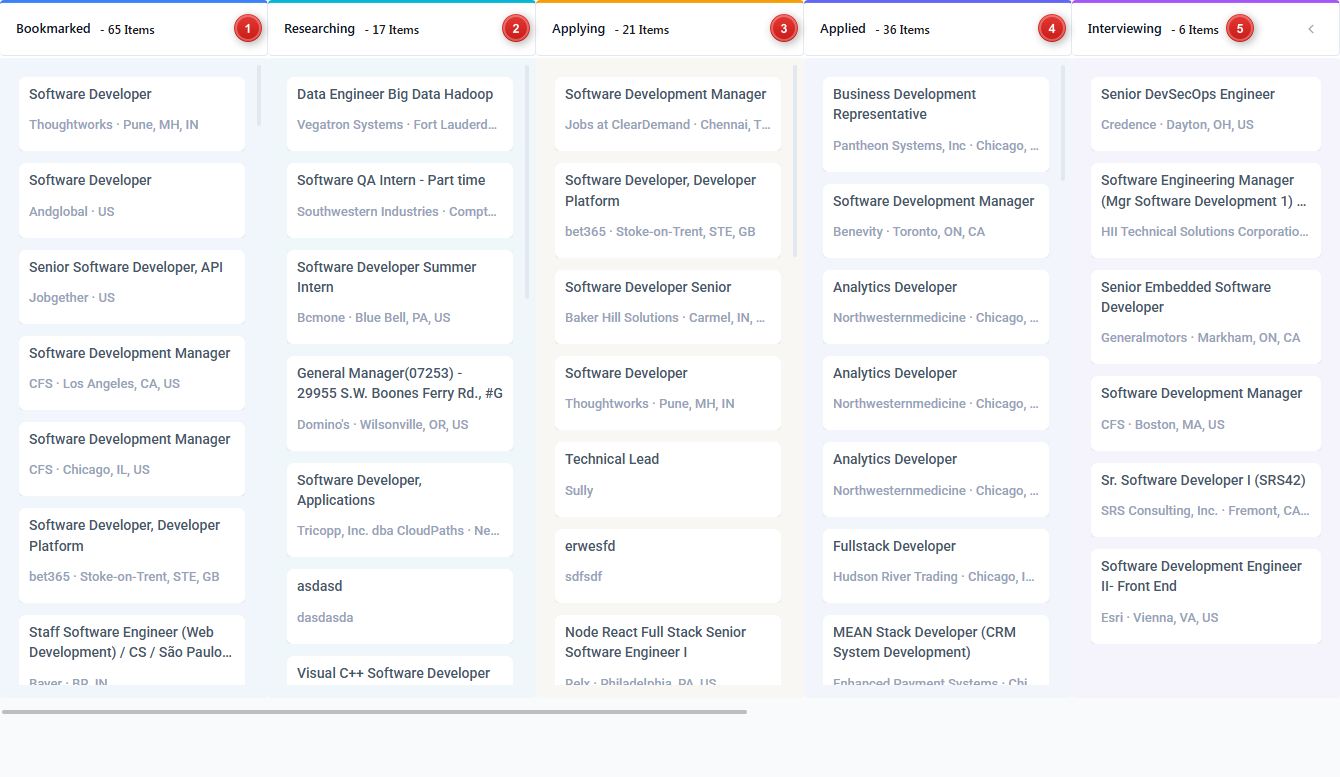
- Bookmarked - saved, not researching yet.
- Researching - digging into the company or role.
- Applying - application in progress.
- Applied - submitted.
- Interviewing - interviews in progress (Offer and Close Job appear on the job detail status bar).
Counts on each column header show how many jobs sit in that stage.
Job details
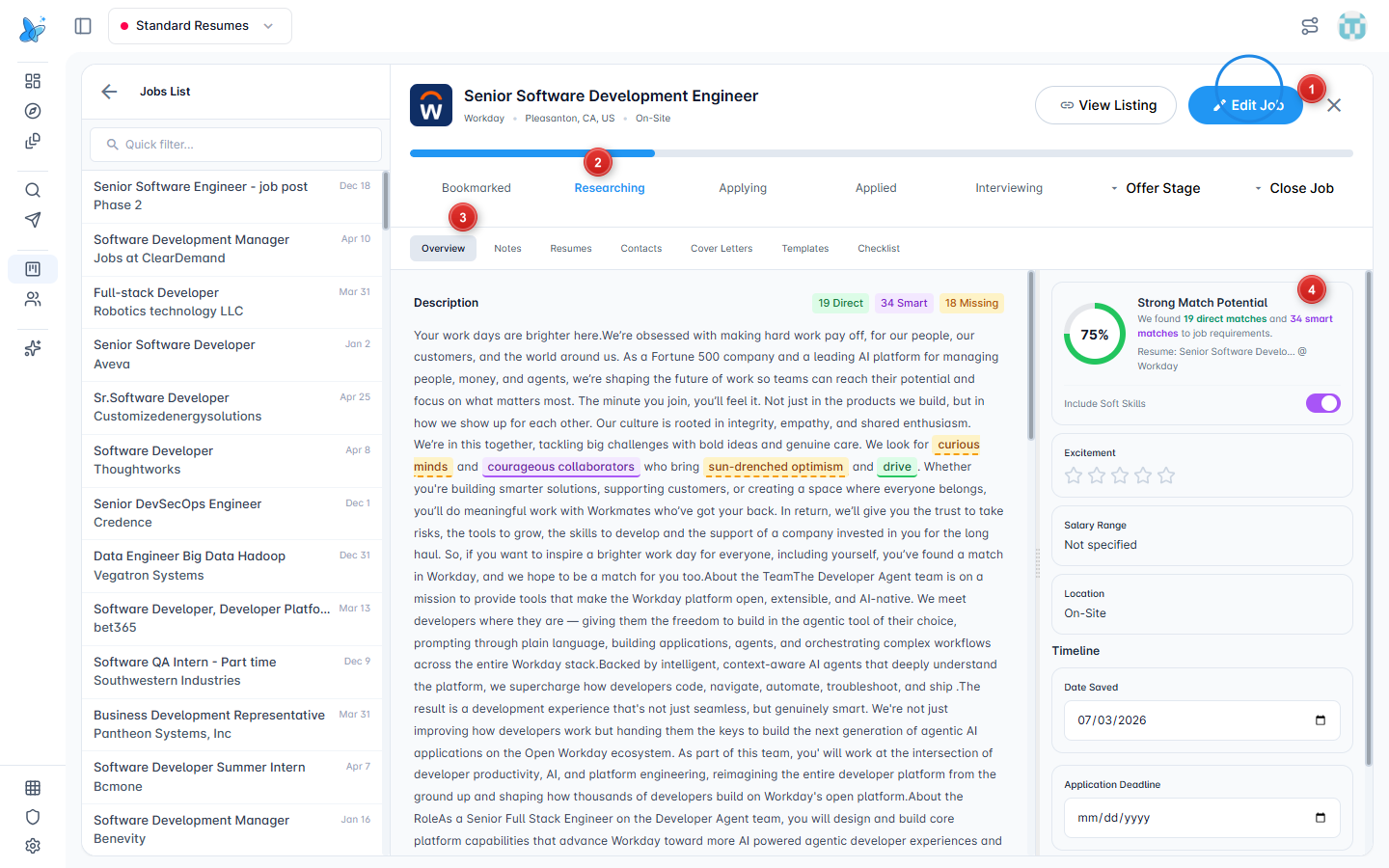
- Edit Job - edit fields (use View Listing next to it for the external posting).
- Status bar - Bookmarked → Researching → Applying → Applied → Interviewing → Offer Stage → Close Job. Click a stage to move the job.
- Tabs - Overview, Notes, Resumes, Contacts, Cover Letters, Templates, Checklist. See Contacts for the full people list.
- Match panel - match percent plus direct / smart / missing keyword highlights in the description.
Tips
- Set a follow-up date from list view or the job detail timeline so nothing goes stale.
- Link the right resume under the Resumes tab (or create one with Job Based Resume).
- Pipeline data is scoped to the active Resume Profile. Switch profiles if a job seems missing.