Onboarding
When you first sign up (or open Welcome at /welcome), FluxResume asks where you are in your job search, then guides you through a short setup. You can skip at any time and return later.
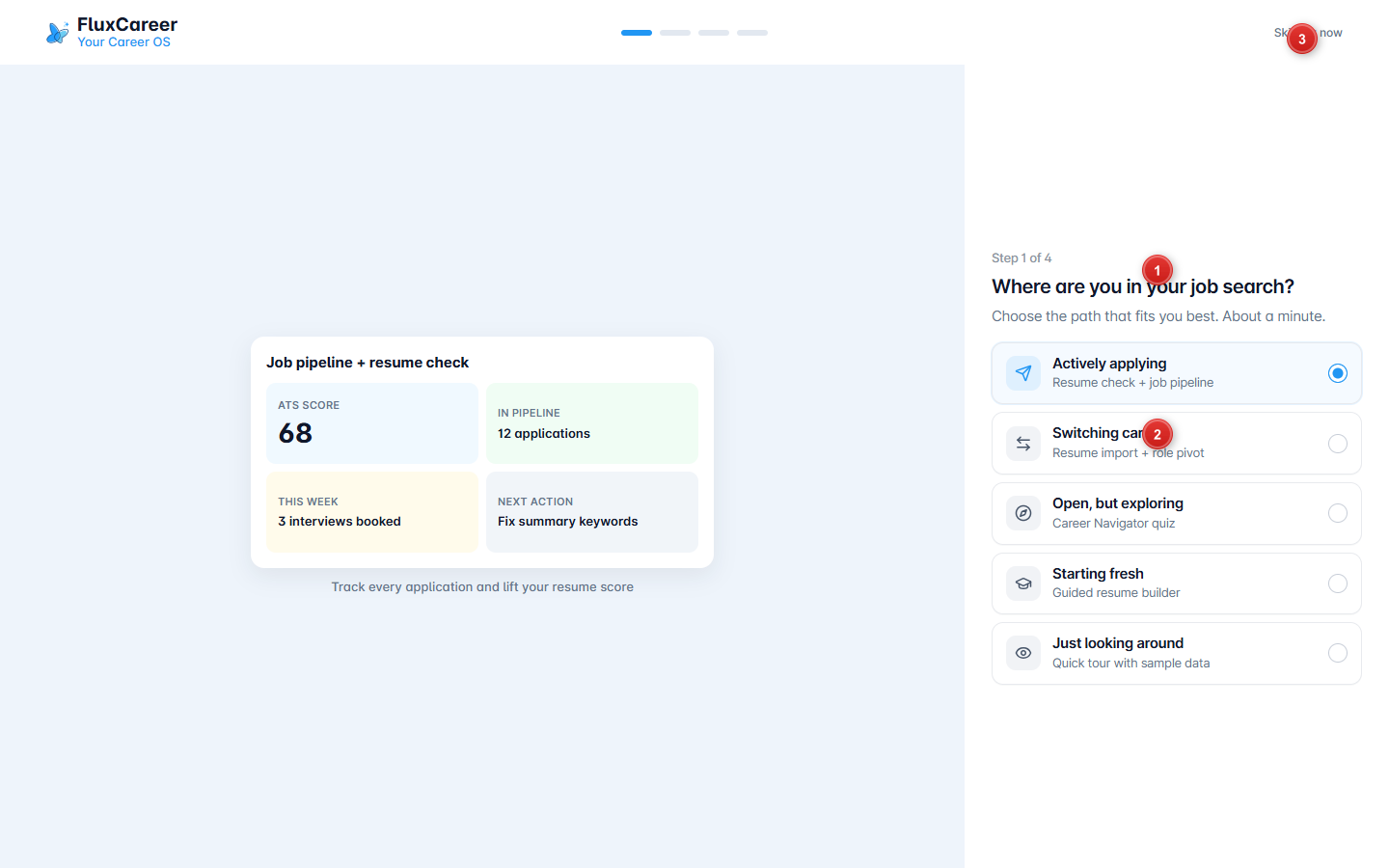
- Path choices - pick the option that fits you (Actively applying, Switching careers, Exploring, Starting fresh, or Just looking around).
- Step progress - the bar at the top shows which of the four steps you are on.
- Skip for now - leave onboarding and go into the app.
How to use
- Open Welcome after sign-up, or visit
/welcomeif you want to run setup again. - Choose a path. Each path steers the next screens (resume check, Career Navigator, guided builder, or a sample tour).
- Follow the remaining steps (usually resume import or ATS check, then targets).
- Use Skip for now if you prefer to explore the app first.
Resume step (Actively applying)
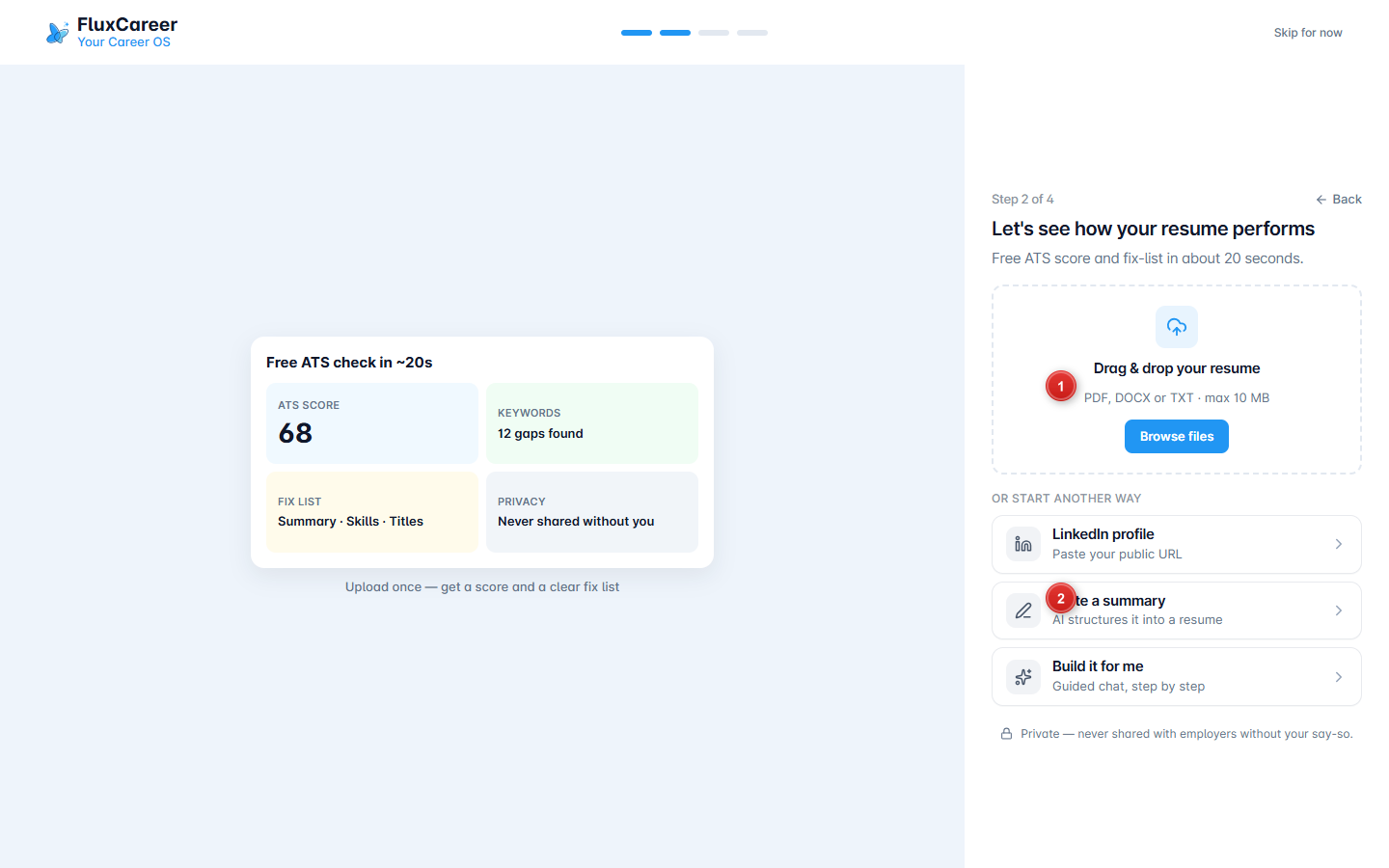
- Upload - drag and drop a PDF, DOCX, or TXT resume (or browse files) for a quick ATS score and fix list.
- Other starts - LinkedIn URL, write a summary, or build with guided chat if you do not have a file ready.
Tips
- Paths are starting points, not permanent modes. You can still open Documents, Job Search, and Career Navigator after skipping.
- See Documents after you have a resume in the app, and Career Navigator if you chose exploring.