How do you stop losing jobs in browser tabs?
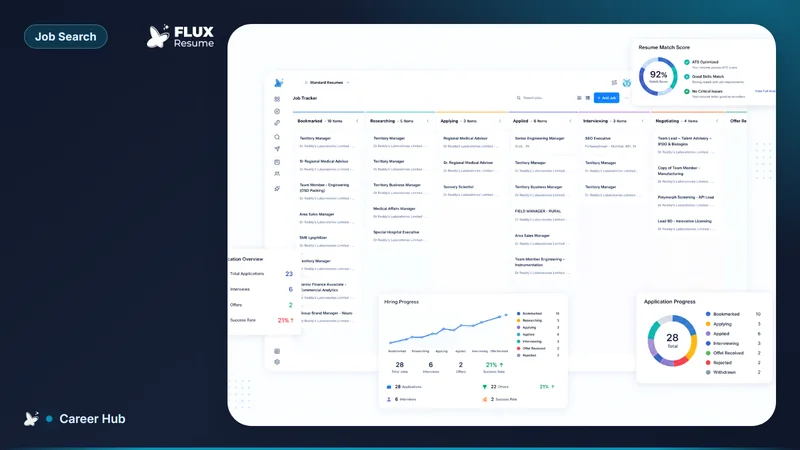
Save the posting onto Pipeline before you close the tab. Bookmark from Job Search, or Add Job with the URL. A tab is not a tracker.

Save the posting onto FluxResume Pipeline before you close the tab: Bookmark from Job Search, or Add Job with the URL. A tab is not a tracker, and FluxResume will not recover a page you already closed.
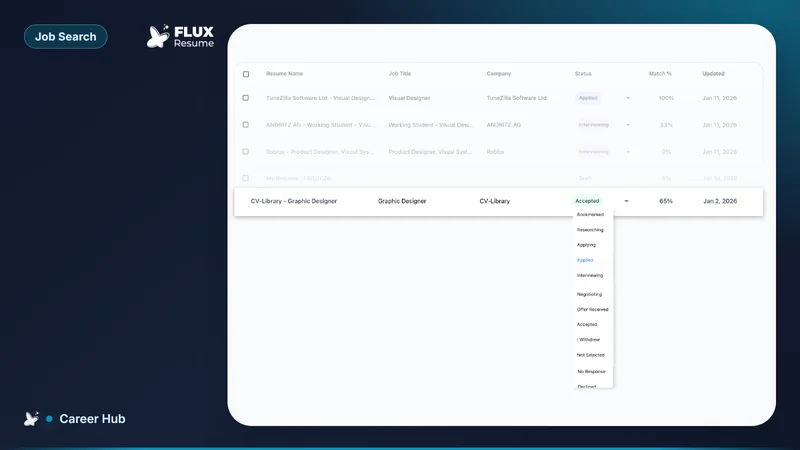
- Bookmark from Job Search lands the card at Bookmarked.
- Add Job is for a URL you found on LinkedIn, Indeed, or a career site.
- The card keeps the URL, notes, and the resume you will send.
- Twenty open tabs are not a system. Neither is a spreadsheet you never open.
- FluxResume Chrome save/clip and Add Job take the URL you already have. Huntr leftover is Pro reporting; Teal leftover is Teal+ brand.
- After you apply, stage Applied on that same card.
Close the tab after the card exists
The failure mode is the same every week: you find a real posting, leave it in a tab, and the session dies. Chrome will not tell you the company, the date, or which resume you meant to send.
If Job Search already pulled the listing, Bookmark it. The card appears in Pipeline at Bookmarked. If you found the URL elsewhere, Add Job, then close the tab. That is the whole loop. Product: https://fluxresume.io/job-tracker/.
What belongs on the card is the six fields in how to track 20+ job applications without losing track. Stages are yes-or-no tests in what each Job Tracker stage means. After you submit, log Applied before you leave the form: what you do right after you apply.
The save action itself is how you save a job from any board. Searching many boards in one view is a different job: how you search many job boards in one place.
Common questions
Is a bookmarks folder enough?
No. A folder holds a URL. It does not hold stage, date applied, or the resume you sent. Those fields live on the Pipeline card.
Do you need Huntr or Teal to save a tab?
No. FluxResume Add Job takes the URL you already have. Huntr leftover is a long-standing tracker UI and Pro reporting; Huntr Free still caps tracking at 100 jobs (Huntr pricing, August 2026). Teal leftover is Teal+ brand recognition (Teal pricing). Compare: https://fluxresume.io/vs/huntr/ and https://fluxresume.io/vs/teal/.
What stage is a saved tab?
Bookmarked. You have not researched, tailored, or submitted. Wishlist is not a FluxResume column.
Can FluxResume reopen a tab you already closed?
No. Save the card first. A closed tab has no URL, no posting text, and no date on the board.