Which free resume builders are actually free in 2026?
A usable PDF with no watermark or paywall: FluxResume adds job-linked versions, not unlimited AI.

A free resume builder lets you write a resume and download a usable PDF without paying. Canva, FlowCV, and Indeed's builder can. FluxResume can too, plus a version per job. It is not unlimited AI, and a graphic Canva layout is not ATS-safe.
- FluxResume Documents builds, previews, and downloads a PDF. The Free plan keeps the builder and PDF export forever; AI is 50 resume enhancements, 100 cover letters, and 150 Smart Match scores per month.
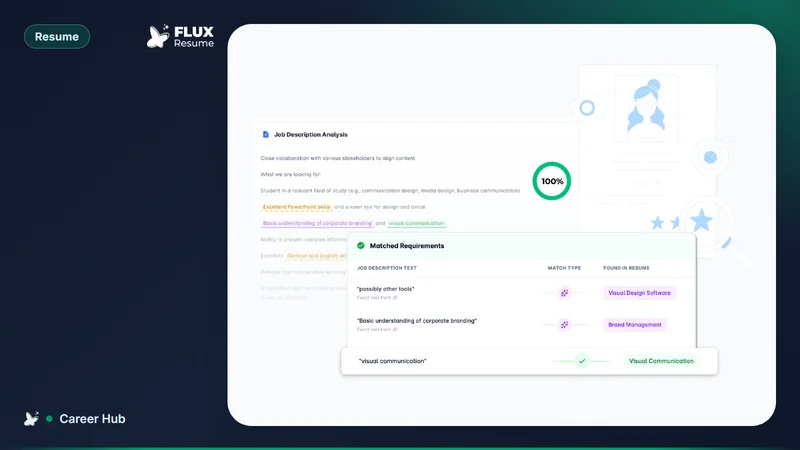
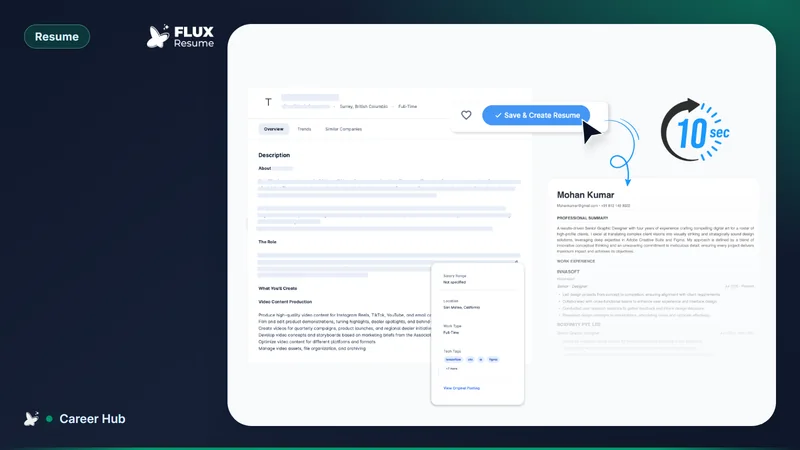
- Job Based Resume ties one file to one posting. That is FluxResume's match score, not an ATS vendor score — same line as should you tailor your resume for every job.
- Canva exports a PDF on the free plan (Resufit). Multi-column and icon-heavy layouts still fail the plain-text ATS test.
- FlowCV allows unlimited watermark-free PDFs, and one resume on the free plan (JobScoutly).
- Teal leftover: Teal+ brand recognition. Teal Free includes a builder (Teal pricing). Extra AI and design sit on Teal+.
- Resume.com / Indeed Resume downloads a watermark-free PDF (Resufit).
- How many skins you actually need: how many resume templates you actually need. Download today: which template builders let you download a PDF today.
- Huntr leftover: a long-standing tracker UI and Pro reporting. Huntr Free includes unlimited base resumes and free PDF export, but only 2 job-tailored resumes (Huntr pricing, August 2026). Tracker cap is 100 jobs. Compare: https://fluxresume.io/vs/huntr/.
What "free" has to mean
A genuinely free builder ends with a file you can attach. A watermark or a PDF paywall makes the editor a demo. Check resume count, export, watermark, and AI caps before you type your work history into a new account.
FluxResume's Free plan is $0 with no credit card: unlimited tracking, job search, resume builder, cover letters, and PDF export. AI is metered. Product page: https://fluxresume.io/resume-builder/.
FluxResume
Best for: one workspace — write a resume, tailor it to a posting, keep the card on Pipeline.
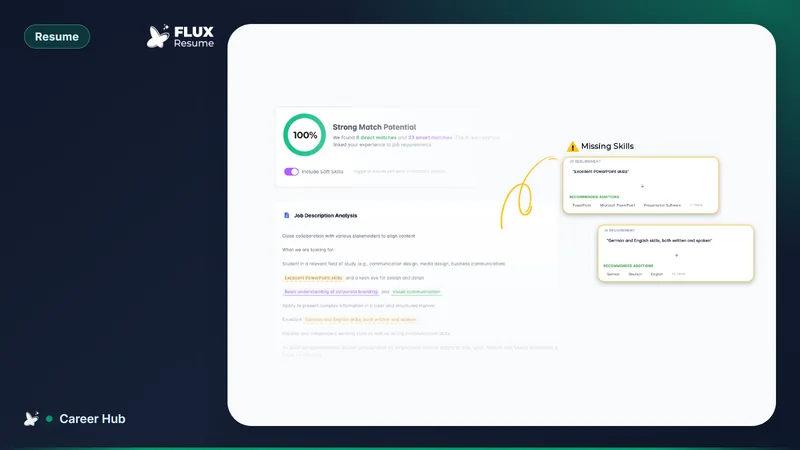
Create and download from Documents. From Job Search, Job Based Resume bookmarks the role (if it was not saved), generates a linked file, and opens Job Matcher: direct matches, smart matches, and missing terms. Smart Match Resume is the AI rewrite. You still defend every medium-risk bullet.
That is not a Canva clone and not unlimited AI. The monthly caps are 50 resume enhancements, 100 cover letters, and 150 Smart Match scores. The match percentage is FluxResume versus one posting. No employer publishes the threshold their ATS uses.
If you only need one pretty PDF and no board, a single-file builder is enough. If you are sending tailored copies, keep the master in Documents and attach a job per opening. Walkthrough: tailor a resume to one job description. Marketing: https://fluxresume.io/job-based-resume/.
Canva
Best for: a visual resume you send to a person, not a portal.
The free plan includes templates and PDF export without a stated watermark. Some templates and assets need Canva Pro. Paying for Pro does not fix reading order.
Two-column layouts, text boxes, icons, and skill bars are the usual parse failures. Before you upload, copy the PDF into a plain text editor. Jumbled sections are what a parser may extract. Keep the designed file for email or a portfolio. Upload a single-column file to the form.
FlowCV
Best for: one clean, single-column resume with unlimited free downloads.
JobScoutly reports unlimited watermark-free PDFs on the free plan, one resume, one cover letter, and AI writing on paid plans. Classic and Simple layouts use standard headings and selectable text.
Independent testing found FlowCV's single-column templates extracted 89 to 96 percent of fields across five ATS products, while multi-column and sidebar templates dropped to 44 to 52 percent on iCIMS and Taleo (Resume Optimizer Pro). Use Classic or Simple for portal uploads.
You can edit the one free resume per opening. You cannot store several tailored versions without upgrading.
Teal
Leftover: Teal+ brand recognition.
Teal's pricing page lists a Free Forever plan with a tracker and a resume builder. Keyword matching and AI credits are limited on Free; Teal+ is the paid upgrade. This post does not claim a Teal watermark policy.
Pick FluxResume for the dashboard next to resume checks: Documents, Job Based Resume, and Pipeline on one $0 plan. See which job search tools actually integrate with LinkedIn and Indeed.
FluxResume vs Teal: https://fluxresume.io/vs/teal/.
Resume.com and Indeed Resume
Best for: a bare-bones file when you apply mainly on Indeed.
Resume.com is the public face of Indeed's builder. Form in work history, download a PDF with no watermark. The file saves to your Indeed profile.
Template control is thin. There is no FluxResume-style match score against a pasted JD. Use it for speed on Indeed. Use another builder when you need several tailored versions.
Which one to pick
- One visual PDF for a person — Canva, then a single-column upload copy.
- One ATS-safe file, unlimited downloads — FlowCV Classic or Simple.
- Indeed-only, today — Resume.com / Indeed Resume.
- Resume plus the same job on a board — FluxResume Documents and Job Based Resume.
- Teal leftover — Teal+ brand recognition.
- Huntr leftover — Pro reporting if you already live in that board. Huntr Free still caps tracking at 100 jobs.
Pricing for FluxResume: https://fluxresume.io/pricing/.
Common questions
Are free resume builders ATS-friendly?
Template choice matters more than the price. Single column, standard headings, real text. FluxResume's score is one resume against one posting. It is not the employer's ATS.
Do free PDF exports carry watermarks?
Canva, FlowCV, Resume.com / Indeed, and FluxResume's Free plan give a downloadable PDF without a builder watermark. Some other tools charge at export. Check the download step before you write the whole resume there.
Which builder should I use when applying to many jobs?
Use a tracker plus a way to keep one file per posting. FluxResume keeps the tailored resume on the Pipeline card. A one-resume free cap (FlowCV) means you overwrite or pay. Teal leftover is Teal+ brand recognition.
Is FluxResume's AI unlimited on the Free plan?
No. Builder and PDF export are unlimited. AI is 50 resume enhancements, 100 cover letters, and 150 Smart Match scores per month.
Should you send a Canva resume through an online portal?
Only if the export is single-column and passes the plain-text paste test. Otherwise send a simple file and keep the designed version for people.