Why does an ATS reject your resume, and what fixes it?
Most rejections are parsing or wording: multi-column layouts, contact details in the header, invented section names, or terms that do not match the posting.

An ATS rejection is usually one of two things: the file did not parse, or the wording did not match the posting. Fix parsing first — single column, contact details in the body not a header, standard section headings, a text-based file. Nobody outside the company can tell you what threshold their ATS uses, and no published rejection percentage is checkable.
- Parsing breaks on columns, tables, text boxes, headers, footers and images — not on your choice of font
- Standard headings (Work Experience, Education, Skills) are how a parser files your content; an invented heading can lose the whole section under it
- The plain-text test costs nothing and takes two minutes: paste the resume into a plain text editor and read what survives
- Use the posting's own phrasing, and give every acronym its full form once
- Match thresholds are set per employer and per requisition, are not published, and cannot be read from outside
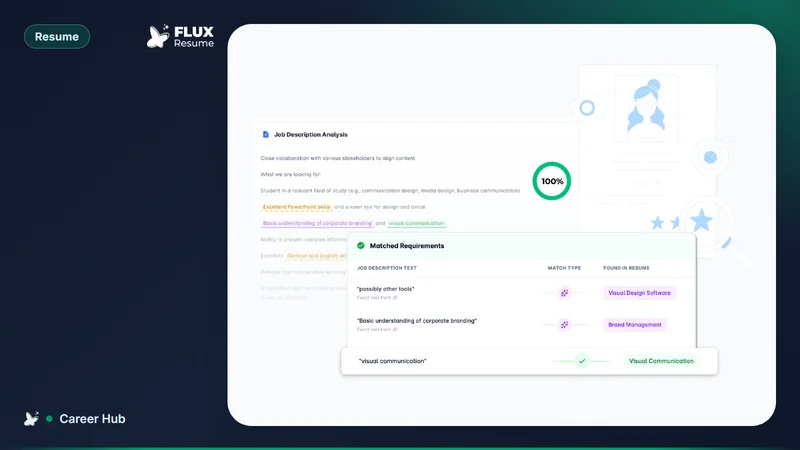
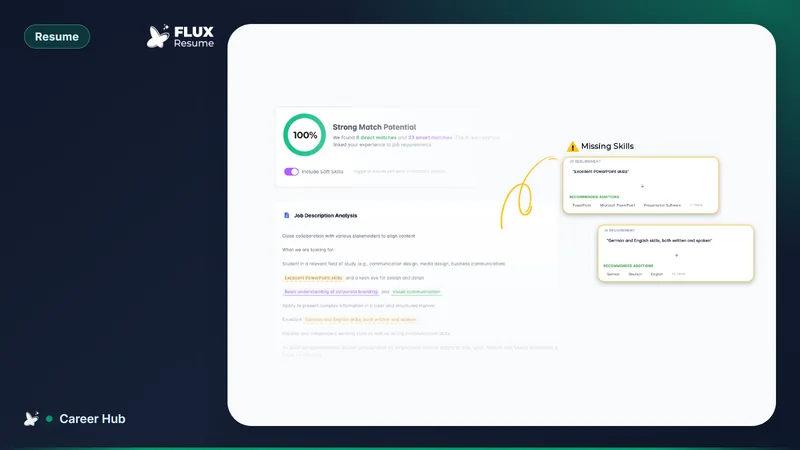
- FluxResume's own match score separates direct matches, smart matches and missing terms against one posting, and reports a percentage for that comparison only
What an ATS does with your file
An applicant tracking system is a database with an intake step. Intake extracts text from your file and sorts it into fields — name, contact details, employers, titles, dates, education, skills. Every search a recruiter runs works off that extracted text, not your document. A resume is a layout to you and a stream of characters to the parser, and when the two disagree the parser wins.
Be precise about the failure, though. An unreadable file rarely triggers a dramatic auto-reject; it produces a thin, garbled record that never matches a search. The outcome feels identical from your side, which is why silence is a poor diagnostic on its own — if silence is your symptom rather than a specific rejection, work through why you aren't getting interview callbacks as well.
Which formatting choices break parsing
Parsers differ between vendors and versions, so treat these as design constraints rather than a description of any one product. Each creates ambiguity about reading order, or puts text somewhere a parser may not look:
Two columns and sidebars. Text is read linearly, so a sidebar of skills can be interleaved into your work history and leave a job title next to an unrelated tool name.
Tables and text boxes. A row of Company / Role / Dates can be extracted cell by cell in an order unrelated to how it looks on screen.
Contact details in the header or footer. The expensive one, because the field it damages is the one used to contact you. Put your name, phone, email and location in the first lines of the body.
Images, logos, charts and skill bars. No extractable text. A bar showing four fifths of a circle beside "Python" tells a parser nothing.
Icons used in place of words. A glyph standing in for a label leaves the value with no field name attached — a question with its own answer: when resume icons are safe and when they are not.
Font choice is near the bottom of that list. Arial, Calibri, Georgia and Times New Roman are fine, and so are most other text fonts. Font is what people change first because it is easy; layout is what actually breaks.
Which section headings are safe
Headings are how a parser decides what your content is. Give it the conventional ones — Work Experience (or Professional Experience, or Employment History), Education, Skills (or Technical Skills, or Core Competencies), Certifications, Summary — and it files your jobs as jobs.
"My Journey", "What I Bring" and "Career Highlights" are the ones that cause quiet damage. When a heading is not recognised, the content beneath it can land in whatever section came before, or nowhere at all, and you cannot see that from the document.
Dates work the same way. Pick one format, January 2023 or 01/2023, and use it everywhere including the current role, where "Present" is clearer than a blank.
Should you send .docx or PDF?
Send what the posting asks for. When it does not say, either works provided the text is selectable — the disqualifying case is not PDF, it is a scan or an image of a document, which contains no text to extract at all. Articles that assign a compatibility percentage to each format, or that tell you which vendor prefers which, are quoting figures nobody in a position to know them has published, about behaviour that changes between releases.
One constraint to plan around: Documents exports a PDF, and that is the only download format the FluxResume documentation describes. If a posting insists on .docx, you are converting the file yourself.
How do you test a resume before you submit it?
Two checks, in this order.
The plain-text test. Select everything in your resume, copy it, and paste it into a plain text editor — Notepad on Windows, TextEdit in plain text mode on a Mac. Read the result as if you had never seen the document. Is your name on the first line? Is the phone number there at all? Are the dates still attached to the right employers? Whatever survives that paste is roughly what a parser has to work with, and if it reads badly you fix the layout, not the wording.
The wording check. Once the file survives extraction, the second failure mode is vocabulary. Put the posting beside the resume and compare terms. "Managed projects" and "project management" are the same job and different strings.
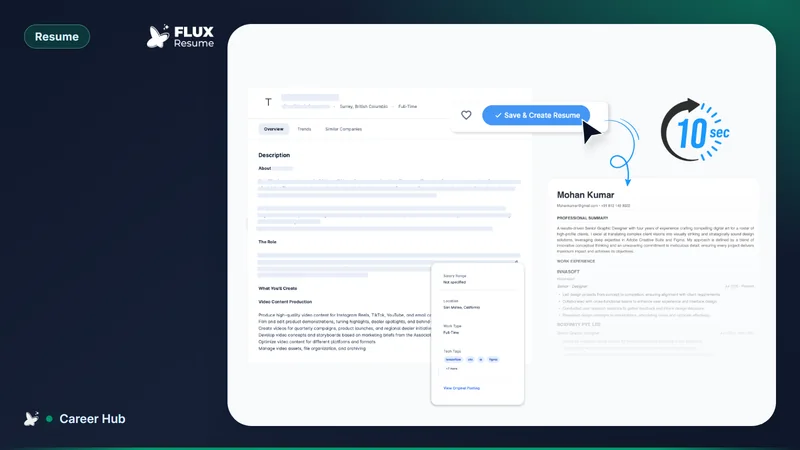
FluxResume does that comparison as a screen. Job Based Resume attaches one posting to one resume and splits every requirement three ways: Direct Match where your resume uses the same words, Smart Match where you have the thing under a different name — "backend engineering" against "Server-Side Development" is the documented example — and Missing where the posting asks for something that appears nowhere. Missing is the actionable list. Public entry point: https://fluxresume.io/ats-resume/.
That comparison carries documented score bands: below roughly 50% weak, 50–70% good, 70%+ strong, 85%+ excellent. Read it as FluxResume's assessment of one resume against one posting, not a prediction of what any employer's software will do with the file. For the resume as a whole instead, the Resume Health card on the Dashboard covers ATS score, keyword coverage, missing items and suggestions for the current profile.
Which ATS advice should you ignore?
Ignore any figure for what share of resumes are rejected before a human sees them. It circulates in several incompatible versions, none attributed to anything you can open and read.
Ignore, specifically, the claim that an ATS forwards only candidates above a fixed keyword-match percentage. The number quoted varies from article to article and is presented in all of them as a documented rule. No ATS vendor publishes such a threshold, screening rules are configured per employer and often per requisition, and nobody outside the hiring company can see the setting — so any article that hands you a number for it is making it up. Use a match score to find the terms you are missing, not to predict an outcome.
Ignore font superstition, file-name formulas, and the idea that you need one resume for software and another for people. A file that parses cleanly and uses the posting's vocabulary reads well to both.
And be careful with the word "rejected" — it implies a decision was made about you, when usually none was. Which is also why the fix is undramatic: correct the layout once, then change the wording per posting, the mechanics of which are in adding keywords without stuffing. Once you are running enough applications that you cannot remember which file went where, a job search organisation system keeps that record straight.
Common questions
Does a PDF resume get rejected?
Not for being a PDF. The problem case is a PDF with no extractable text: a scan, a photo of a document, or a design export where the words are baked into an image. Try to select a line of text in your PDF and paste it into a plain text editor. If it comes across as readable characters, the file is fine. If nothing selects, rebuild it from the source document rather than reformatting the export.
Do I need one resume for the software and another for people?
No. The formatting that parses well — single column, standard headings, contact details in the body, real text instead of graphics — is also what a person can skim quickly. What changes per application is the wording, not the structure. Keep one clean master, tailor copies from it, and build a designed version only if you have a specific use for it, such as a portfolio or an interview leave-behind.
Are two-column resumes really a problem?
Yes, for anything you upload to an application form. The risk is reading order: a sidebar can be interleaved with the main column, which puts skills in the middle of a job description and separates titles from dates. If you like the layout, keep it for the copy you hand to a person and upload a single-column file to the form.
What match percentage should I aim for?
Aim to have no missing must-have requirement, which is a more useful target than any number. If you want a range, FluxResume's own bands put 70%+ at strong and 85%+ at excellent for one resume against one posting — FluxResume's score, not a threshold any employer applies. Pushing toward 100% is counterproductive anyway: it produces a resume that mirrors the posting so exactly it reads as copied.
Originally published January 2026. Reviewed and rewritten for FluxResume in August 2026.