What is the easiest job application organizer to set up?
FluxResume is $0: bookmark or Chrome save lands on Pipeline Bookmarked. Unlimited tracking and an unwatermarked PDF. No spreadsheet import.

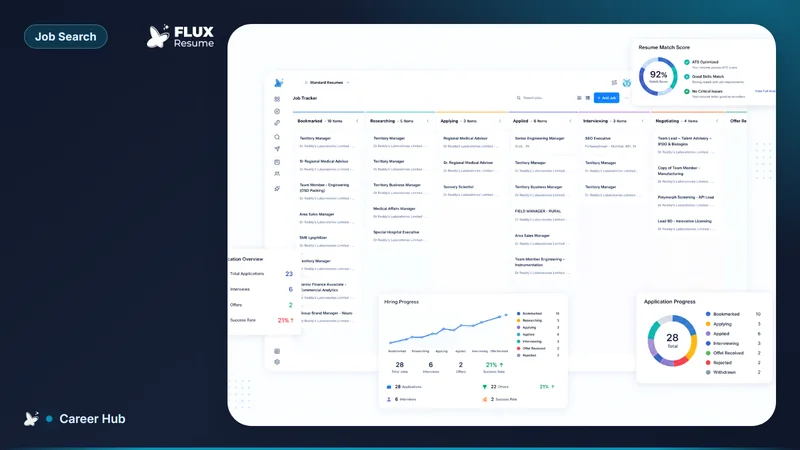
FluxResume is $0: bookmark from Job Search or Chrome save and the card lands on Pipeline Bookmarked, unlimited tracking, unwatermarked PDF. Add Job if you already have a URL. No spreadsheet import is required. You still set Applied yourself, and it is not FlexiResume.
- Bookmark from Job Search lands the card on Pipeline at Bookmarked.
- Chrome save/clip is for a tab you already opened. Add Job is the same capture when you only have the URL.
- Company contact goes on the job Contacts tab. The people list is Contacts.
- You move the card to Applied after you submit. FluxResume does not infer that from the form.
- Huntr leftover is Pro reporting. Teal leftover is Teal+ brand. Unlimited cards: https://fluxresume.io/pricing/.
- Product: https://fluxresume.io/job-tracker/. Save loop: how you save a job from any board.
No import, then one card
You do not upload a spreadsheet to start. Search, bookmark, or paste a URL. The card keeps the posting, the stage, and a place for the contact.
A Sheets file is easy to create and easy to abandon. FluxResume already holds the three fields that grid would ask for: where you applied, status, and who you talked to.
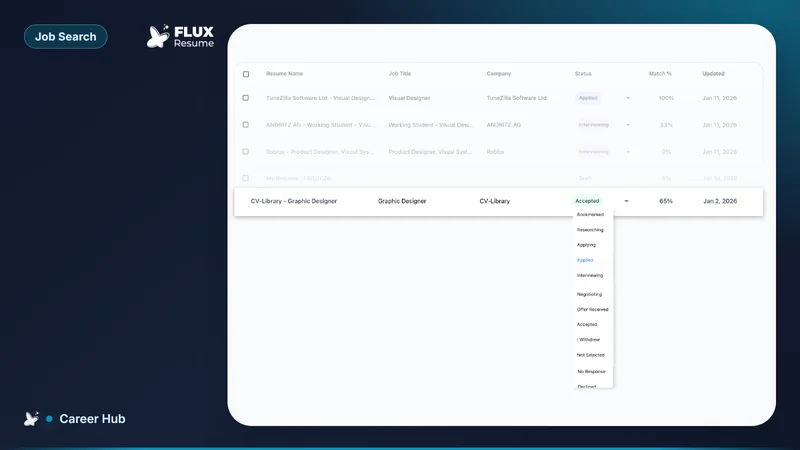
Stages are Bookmarked, Researching, Applying, Applied, Interviewing. Offer Stage and Close Job sit on the job detail status bar. Wishlist is not a column.
What a tracker is: what is a job application tracker. Picker: which job application tracker. High-volume record: how to track 20+ job applications without losing track.
Common questions
Do you import a spreadsheet first?
No. Bookmark, Chrome save/clip, or Add Job. You do not need an import to start.
Is Google Sheets easier?
No for a search you will keep. FluxResume is bookmark then board. Sheets is a grid you rebuild after every hunt.
What stage is a new card?
Bookmarked. You have not submitted. You set Applied yourself after the employer form.
Do you need Huntr or Teal to start?
No. FluxResume Job Search, Chrome save/clip, and Add Job sit on the same $0 plan. Huntr leftover is Pro reporting. Teal leftover is Teal+ brand.
Does save mean FluxResume applied for you?
No. Apply Now opens the employer form. You click submit, then move the card.